Votre panier est vide
Il semble que vous n'ayez encore rien ajouté à votre panier


Formlabs Form Studio 1 Founders Edition: What Makes It Different?
Resin 3D printing has traditionally been associated with professional studios, specialized workflows, and higher equipment costs. The Formlabs Form Studio 1 Founders Edition aims to make detailed resin printing more accessible while retaining features designed for consistent results, efficient production, and a streamlined user experience.
With Low Force Display (LFD) technology, an open material platform, and a build volume suitable for a wide range of desktop projects, the Form Studio 1 is designed for makers, designers, small businesses, and professionals who need detailed parts without investing in a larger production system.
So, what makes the Form Studio 1 different from other resin 3D printers, and is it the right choice for your workspace?
1. Professional-Grade Detail in a Desktop Printer
One of the Form Studio 1's main advantages is its focus on print quality and fine detail.
The printer uses Masked Stereolithography (MSLA) technology powered by Formlabs' Low Force Display (LFD) print engine. Its light system cures liquid resin in controlled layers, allowing it to produce intricate geometries, fine surface features, and detailed models.
The Form Studio 1 features a 35-micron pixel size, supporting the production of detailed parts with smooth surfaces and clearly defined features.
This makes it worth considering for projects such as:
-
Detailed miniatures, figurines, and scale models
-
Product design prototypes and concept models
-
Sculptures and decorative objects
-
Small components with intricate geometry
-
Models intended for painting, presentation, or evaluation
For designers and makers, the ability to reproduce small features can be particularly useful when evaluating a design before committing to a finished product.
2. LFD Technology Designed for Speed
Print speed is another important consideration when choosing a resin 3D printer.
The Form Studio 1 uses Formlabs' Low Force Display technology, which is designed to cure resin quickly and evenly. Rather than relying solely on printing one small area at a time, its light engine exposes each layer across the build area.
With supported materials and print settings, the Form Studio 1 can reach a maximum print speed of up to 130 mm per hour. Formlabs states that many typical parts can be printed in under two hours, although actual print times depend on the model, resin, layer settings, and print configuration.
Faster printing can help users move through design iterations more efficiently. For example, a product designer may be able to evaluate several versions of a component in a working day instead of waiting as long between revisions.
The practical benefit is not just speed. It is the ability to test ideas, identify design issues, and make changes sooner.
3. An Open Material Platform
A major distinguishing feature of the Form Studio 1 is its included Open Material Mode.
Some resin printers are closely tied to a manufacturer's material ecosystem. The Form Studio 1 supports a selection of validated Formlabs resins while also allowing users to work with compatible third-party 405 nm resins through Open Material Mode.
This gives users more flexibility when selecting materials for different projects.
Depending on the application, resin selection may prioritize:
-
Fine detail and surface appearance
-
Faster prototyping
-
Transparent parts
-
General-purpose models
-
Particular mechanical properties
However, material flexibility comes with an important consideration. Third-party resins may require users to configure print settings and validate the results themselves. Automatic resin dispensing is disabled in Open Material Mode, and a compatible Resin Tank Pro is required for materials that need it.
For users who want to experiment with different materials, this flexibility can be valuable. Those who prefer a more straightforward workflow can start with supported Formlabs materials and their validated print settings.
4. A Build Volume for More Than Small Models
Despite its desktop-oriented design, the Form Studio 1 offers a build volume of 200 × 125 × 235 mm (7.9 × 4.9 × 9.3 inches), equivalent to approximately 5.9 litres.
This provides room for a variety of projects, from individual detailed models to multiple smaller parts arranged on the build platform.
Potential applications include:
-
Product prototypes
-
Architectural and scale models
-
Sculptures and figurines
-
Design samples and presentation pieces
-
Small fixtures and components
-
Multiple parts for a small-batch workflow
The available build volume also gives users options when deciding how to orient and arrange their models. Depending on the geometry and required finish, several components may fit into one print job.
As with any resin printer, users should consider the dimensions of the actual parts, support requirements, and material properties before choosing the machine for a specific production task.
5. A Workflow Built Around Ease of Use
A capable printer is only one part of a successful 3D printing setup. Preparing models, managing materials, and processing finished parts are also important.
The Form Studio 1 uses Formlabs' PreForm software for preparing print jobs. It helps users orient models, generate supports, arrange parts, and prepare files for printing.
The printer also incorporates resin-handling features intended to simplify everyday use. With compatible Formlabs materials, the workflow can include automatic resin dispensing and supported material settings.
For users entering resin 3D printing, a guided workflow can reduce some of the complexity associated with setup and print preparation.
It is important to remember that resin printing still requires post-processing. Finished parts generally need to be cleaned and, when specified for the material, cured according to the manufacturer's instructions. Appropriate protective equipment, ventilation, and safe resin handling remain essential.
6. What Makes the Founders Edition Special?
The Founders Edition adds a limited-edition element to the Form Studio 1 beyond its technical features.
Depending on the package and availability, Founders Edition benefits include:
-
Limited-edition printer colours, including Aqua, Violet, and Teal, alongside Graphite
-
A Founders Edition plushie
-
An introductory offer on the first bottle of Alpha Resin
These details distinguish the Founders Edition from a standard equipment purchase, particularly for users who appreciate the design of their workspace or want a launch-edition product.
Because package contents, promotional offers, and colour availability can change, buyers should confirm the current inclusions before ordering.
7. Who Should Consider the Formlabs Form Studio 1?
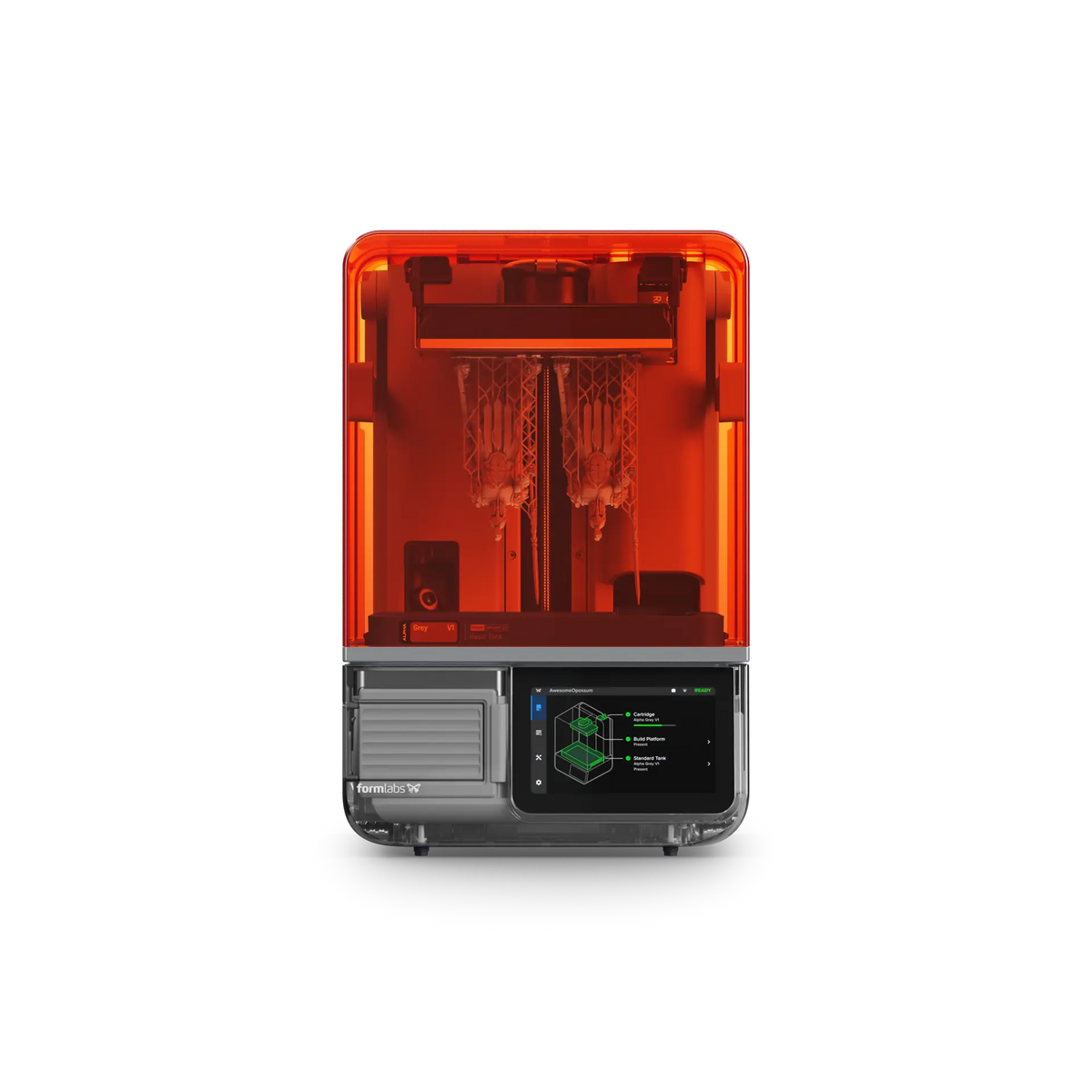
The Form Studio 1 may be a good fit for users who want detailed resin prints, a desktop-sized system, and flexibility in material selection.
Makers and hobbyists: Create detailed miniatures, figurines, models, and other projects where surface quality matters.
Product designers: Produce concept models and prototypes to evaluate form, appearance, and fit before moving to the next design stage.
Small businesses and studios: Explore resin printing for presentation models, custom objects, and suitable small-batch work.
Experienced 3D printing users: Add a resin printer to an existing FDM setup when projects require finer detail or different surface characteristics.
The Form Studio 1 may not be the best fit for every application. Users who require a wider selection of specialized engineering materials, biocompatible materials, or a larger production platform should compare it with other printers in the Formlabs range before making a decision.
8. Form Studio 1: Key Specifications at a Glance
| Specification | Formlabs Form Studio 1 |
|---|---|
| Print technology | Masked Stereolithography (MSLA) |
| Print engine | Low Force Display (LFD) |
| Pixel size | 35 µm |
| Build volume | 200 × 125 × 235 mm |
| Build capacity | 5.9 litres |
| Maximum stated print speed | Up to 130 mm/hour |
| Material options | Supported Formlabs resins and compatible third-party resins |
| Open Material Mode | Included |
| Print preparation software | Formlabs PreForm |
Actual print performance and material compatibility depend on the selected resin, settings, and required accessories.
Is the Formlabs Form Studio 1 Founders Edition Worth Considering?
The Formlabs Form Studio 1 Founders Edition brings together detailed resin printing, a practical desktop build volume, an emphasis on print speed, and an open material option.
Its appeal lies in the combination of these features. Users can produce intricate models, explore different prototyping applications, and choose between supported Formlabs materials and compatible third-party resins without immediately stepping into a larger production system.
For makers, designers, and small studios looking to add detailed resin printing to their workflow, it is worth evaluating against the projects they intend to produce, their material requirements, and the total cost of the printing and post-processing setup.
Explore the Formlabs Form Studio 1 at DigitMakers
Looking for a resin 3D printer for detailed models, prototypes, and creative projects?
Explore the Formlabs Form Studio 1 Founders Edition at DigitMakers to review the current listing, available package options, and product details.
DigitMakers helps Canadian makers and businesses find 3D printing equipment, materials, and accessories for their needs.
- Le choix d'une sélection entraîne une actualisation complète de la page.