Your cart is empty
Looks like you haven't added anything to your cart yet


Prusa CORE One vs CORE One+: What’s New and Is the Upgrade Worth It?
If you’re a fan of Prusa’s CORE One 3D printer, you’ve likely heard about the CORE One+ upgrade — and you might be wondering: What’s new? Is it worth upgrading? In this post, we’ll break down the differences, highlight the benefits, and help you decide whether the upgrade is right for you.
What Is the CORE One+ Upgrade?
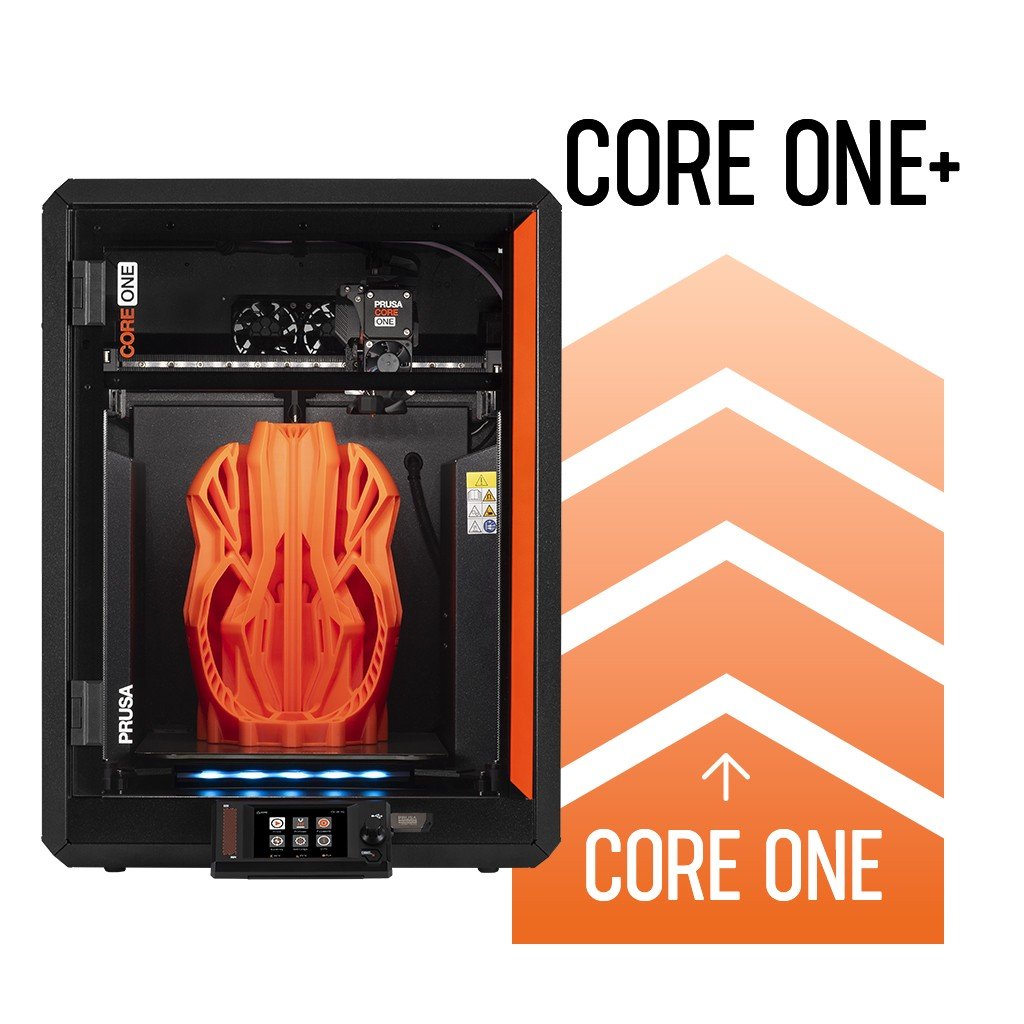
The Prusa CORE One+ upgrade is an official kit released by Prusa to bring newer features to the original CORE One machine. Instead of buying a whole new printer, you can install this kit to gain improved performance and convenience.
Key Differences: CORE One vs CORE One+
| Feature | Prusa CORE One | Prusa CORE One+ (Upgraded) |
|---|---|---|
| Filament loading upgrades | ❌ | ✔️ Easier, more reliable filament feeding |
| Automatic top vent control | ❌ | ✔️ Helps improve airflow and print quality |
| Improved spool holder | ❌ | ✔️ Bayonet-style for easier use |
| Firmware enhancements | Basic | Optimized for upgraded hardware |
| Value for money | Lower initial cost | Higher long-term value |
What’s New in the CORE One+ Upgrade
🔧 1. Easier Filament Handling
The CORE One+ improves how filament is loaded and fed into the extruder.
This means less frustration and fewer failed prints — something every maker appreciates.
💨 2. Automatic Top Vent Control
A smart feature that adjusts airflow automatically — helping with temperature-sensitive filaments like PETG or flexible materials.
🧰 3. Better Spool Holder Design
The new bayonet-style spool mount makes changing filament quicker and smoother.
This small change can make a big difference in your daily printing workflow.
📡 4. Updated Firmware
The upgrade includes firmware tuned for the new hardware components — improving reliability and usability.
Performance Comparison
Print Quality:
Both the original CORE One and the upgraded CORE One+ deliver excellent print quality. However, the CORE One+ has a slight edge because of better filament control and airflow.
Reliability:
The CORE One+ is more reliable overall, especially when printing flexible or tricky filaments.
User Experience:
Users consistently report the CORE One+ is easier to use and feels more polished thanks to small but meaningful upgrades.
Is the Upgrade Worth It?
Here’s how to decide:
✅ You Should Upgrade If:
-
You already own a CORE One and want better performance.
-
You print flexible filaments or detailed models.
-
You want fewer print failures and smoother filament handling.
-
You prefer improved usability and features without buying a new machine.
❌ You Might Not Need It If:
-
You rarely print complex or flexible materials.
-
You’re happy with your CORE One’s current performance.
-
Upgrading feels unnecessary for occasional hobby printing.
Real-World User Feedback
Users upgrading to CORE One+ commonly report:
-
Fewer filament jams
-
Smoother loading experience
-
Better airflow control
-
More consistent prints
These may seem like small changes — but they add up to a better overall printing experience.
Conclusion: Upgrade or Not?
If you print frequently, experiment with different materials, or just want a more polished user experience, the Prusa CORE One+ upgrade kit is worth it.
It’s a cost-effective way to improve your machine without replacing it entirely.
- Choosing a selection results in a full page refresh.
5 comments
Michael Beattie
Why not include this in the INDX 8-Tool Conversion Kit and sell the kit as compatible with the CoreOne and CoreOne +?
Layanan Call Center TransNusa
Anda bisa hubungi layanan customer service di nomor WhatsApp/CS: Call Center 𝐓𝐑𝐀𝐍𝐒𝐍𝐔𝐒𝐀 +62=823=35=46=9437..
Tanya Jawab Tentang Pengalaman Bekerja di AirAsia
Anda dapat menghubungi 081413555•472Cs AirAsia melalui Telepon Layanan Pusat di 📞O814-1355547.2 Call Center AirAsia Online 24 jam.
Cara Berbicara Dengan CS AirAsia
Anda dapat menghubungi 081413555•472Cs AirAsia melalui Telepon Layanan Pusat di 📞O814-1355547.2 Call Center AirAsia Online 24 jam.
Cara Berbicara Dengan CS AirAsia
Anda dapat menghubungi 081413555•472Cs AirAsia melalui Telepon Layanan Pusat di 📞O814-1355547.2 Call Center AirAsia Online 24 jam.