Your cart is empty
Looks like you haven't added anything to your cart yet


P2S Combo Overview: What’s New Compared to P1S & Why It Matters
Bambu Lab’s P1S has long been a reliable go-to for makers needing a fully enclosed, CoreXY printer with multi-material support via AMS. But with the release of the P2S Combo, Bambu Lab is pushing that platform further — integrating enhancements from higher-end models (like H-series) to make it more future-proof and capable.
In this post, we’ll compare what’s new in the P2S versus the P1S, why those changes matter in day-to-day printing, and who should consider upgrading.
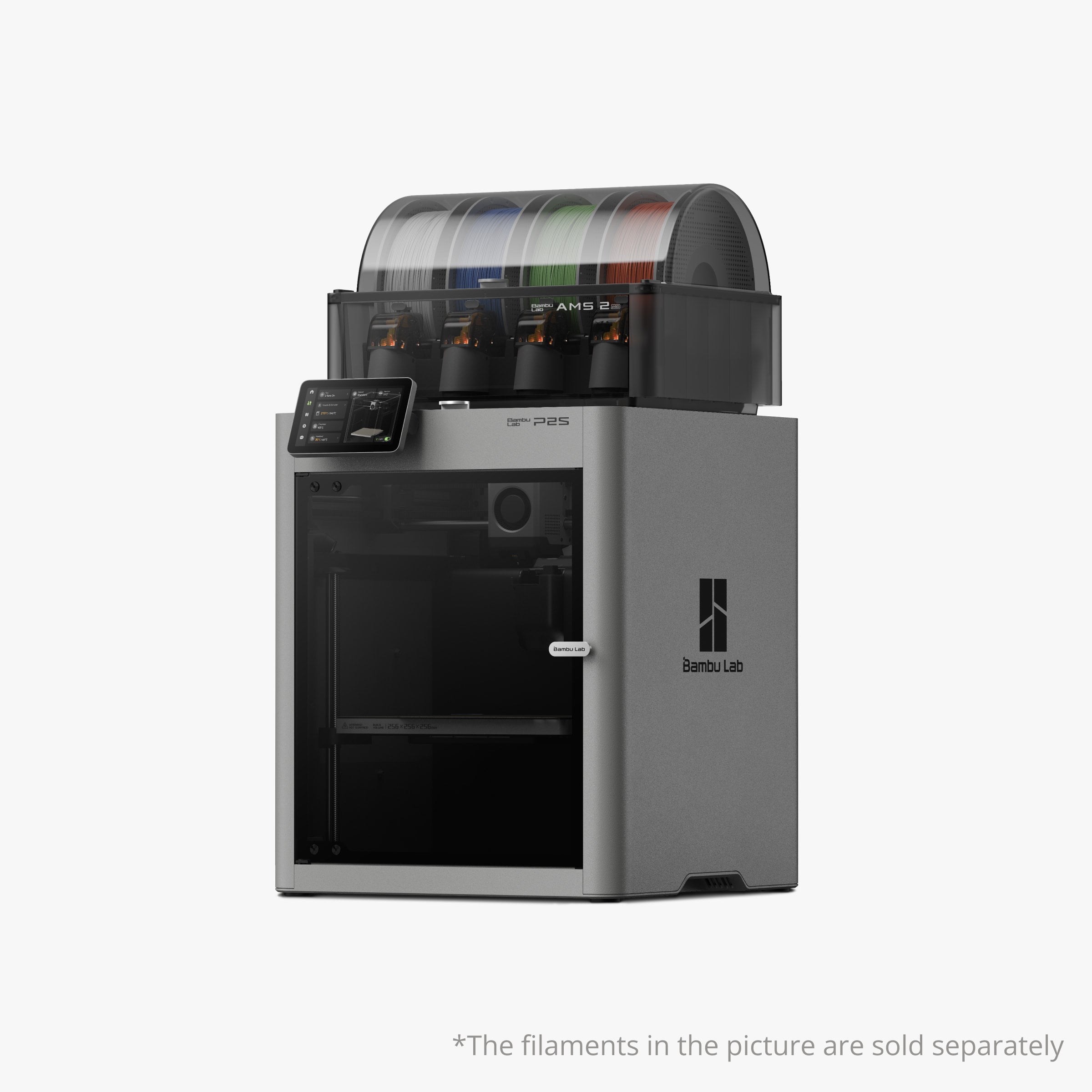
🔍 What’s Changed: Key Upgrades in the P2S Over P1S
Here are the major improvements and new features in P2S (as reported by reviews, announcements, and leaks) compared to P1S:
| Feature | P1S | P2S (New / Upgraded) |
|---|---|---|
| Build Volume | 256 × 256 × 256 mm | Same: 256 × 256 × 256 mm |
| Top Speed | Up to 500 mm/s | Increased—reportedly up to 600 mm/s |
| Bed Temperature | Standard heated bed (up to ~100-110 °C) | Heated bed increased to 110 °C |
| User Interface / Display | Monochrome or simpler screen | New 5-inch color touchscreen with updated UI, borrowed from H-series models |
| Adaptive Airflow & Chamber Control | Enclosed chamber, passive airflow | New Adaptive Airflow System that draws external cool air when needed while maintaining chamber environment |
| Extruder & Motion Hardware | Standard P-series hardware | Upgraded extruder hardware, better sensors and reliability (from reports) |
| Multi-Material Support | Requires AMS add-on | P2S Combo ships with AMS 2 Pro built-in (multi-filament capability) |
| Material Compatibility | PLA, PETG, ABS, some PC | Maintains wide compatibility up to PC, but lacks active chamber (so may still be limited vs H-series) |
| Reliability & Workflow Enhancements | Proven but dated interface | More refined, reliable, smarter error detection, and firmware enhancements |
🛠 Why These Changes Matter — For You
Upgrades sound nice on paper, but what do they actually mean in real printing scenarios?
-
Faster Printing with Confidence
Pushing from 500 mm/s to 600 mm/s means you can complete models quicker. The updated extruder, better sensors, and cooling system make that speed usable rather than just theoretical. -
Better Adhesion & Material Options
The hotter bed (110 °C) opens up better adhesion for filaments like ABS or PC, which often struggle on cooler surfaces. That helps avoid warping and improves layer bonding. -
Smarter Airflow = Cleaner Prints
The P2S’s Adaptive Airflow automatically regulates chamber environment, letting you close the door even during printing of standard filaments without overheating or print defects. -
More Reliable Multi-Material from the Start
Having AMS 2 Pro integrated means P2S is multi-material ready out of the box. No separate add-ons required, which lowers barrier to start printing color or support-material combinations. -
Fresher UI & Workflow
The 5-inch color touchscreen and updated UI speed up setup, make status easier to check at a glance, and reduce friction in everyday use. Less time messing with menus, more time printing. -
Better Hardware Durability & Maintenance
Upgraded sensors, more robust components, and hardware refinements reduce calibration needs, downtime, and mechanical failures over time.
💡 Considerations & Trade-Offs
No upgrade is perfect. Here are some things to be aware of:
-
No active heated chamber
Unlike H-series, P2S doesn’t (for now) include a full chamber heater, so printing very heat-sensitive filaments still might be limited. -
Filament waste from color swaps
As with most single-nozzle multi-material printers, you’ll still have purge waste when switching filaments. -
Closed ecosystem
Bambu Lab tends toward integrated software and firmware. If you like modding or custom firmware, you may hit limitations. -
Price premium
With more features, the P2S is likely more expensive than P1S—and whether the upgrade is worth it depends on how much you use the advanced features.
✅ Should You Upgrade or Get a P2S Instead of P1S?
Choose P2S if:
-
You want a modernized, faster printer with all the newer features.
-
You plan to use multi-material printing frequently.
-
You value smoother workflow, smarter sensors, and more reliable hardware.
-
You want capability for tougher materials (ABS, PC) without jumping to the H-series.
Stick with P1S if:
-
You already own one and it still meets your needs.
-
You mostly print PLA, PETG without needing the extra speed or features.
-
Price sensitivity is important, and you don’t need all the new hardware.
The P2S Combo is not just a refresh—it brings several H-series features down into a more accessible format. For makers and professionals, it offers a compelling middle ground: performance upgrades, smoother workflow, and future-proofing—without completely stepping into premium printer territory.
- Choosing a selection results in a full page refresh.
5 comments
Julien
AI generated article.
Dennis Winston
I appreciate positive and constructive criticism reviews rather than useless and random thoughts that don’t even matter to a potential consumer. Thanks Morton! 👍🏻
Dennis Winston
I appreciate positive and constructive criticism reviews rather than useless and random thoughts that don’t even matter to a potential consumer. Thanks Morton! 👍🏻
John
AI generated garbage.
Morton Biback
I appreciate the honest comments comparing the P1S and P2S. It is refreshing to see these sincere statements.
Morton